








Search for the best developer tools and most articles start to look suspiciously similar.
VS Code is “powerful”. Docker is “essential”. GitHub “improves collaboration”. Every product gets five advantages, four alternatives and a glowing verdict.
That is not how developers actually choose tools.
A tool normally earns its place in a project because something became irritating.
Local environments stopped matching. API requests became difficult to share. Deployments started depending on one person remembering a checklist. Production errors became impossible to reproduce. Or an AI assistant finally became useful enough to save more time than it consumed.
That is the approach behind this updated Droven io best tech tools for developers guide.
This is an independent practical review built around that search topic rather than an official Droven.io ranking. The aim is not to persuade developers to install 15 products. It is to work out where each tool earns its place, where it becomes unnecessary and what experienced teams can do to get more value from it.
One thing has also changed significantly in 2026: AI is no longer sitting quietly inside autocomplete. Coding agents increasingly work across repositories, terminals, pull requests and longer-running tasks. Even VS Code introduced its new Agent Host architecture in August 2026 so agent sessions can continue independently and move across different clients.
That makes choosing a development stack more interesting and slightly more dangerous.
A modern team can easily acquire too many tools.
So before looking at the list, here is the rule I use throughout this guide: A developer tool should remove more friction than it creates.
The 15 Developer Tools at a Glance
| Tool | The Real Reason to Use It | Hidden Friction | One Practical Tip |
|---|---|---|---|
| VS Code | One adaptable workspace | Extension overload | Set an extension budget |
| GitHub Copilot | Removes repetitive coding | Easy to trust bad suggestions | Review before accepting |
| Cursor | Repository-level AI work | AI usage can become expensive | Give agents boundaries |
| Docker | Consistent environments | Containers become another system to debug | Containerise problems, not fashion |
| Postman | Shared API workflows | Collections become cluttered | Treat collections like code |
| Supabase | Fast serious backend | Security still needs thought | Test RLS as another user |
| Vercel | Fast web deployment | Convenience can hide growing costs | Configure spend controls early |
| Prisma | Cleaner typed DB work | ORM knowledge is not SQL knowledge | Read important migrations |
| GitHub/GitLab | Development history and collaboration | Bad Git discipline survives either platform | Optimise for future archaeology |
| Playwright | Protects real user journeys | Tests can become fragile | Test money paths first |
| Jira | Coordinates complicated teams | Workflow bureaucracy | Keep status counts low |
| Slack | Fast team communication | Constant interruption | Move decisions out of chat |
| AWS/Azure | Infrastructure flexibility | Easy to over-engineer | Choose the boring architecture |
| GitHub Actions/CircleCI | Repeatable delivery | CI YAML grows uncontrollably | Automate checks before deployment |
| New Relic/Datadog | Understand production | Alert fatigue and telemetry cost | Every alert needs an owner |
How I Judge Whether a Developer Tool Is Actually Good?
Feature count is a poor way to compare developer software.
I find five questions much more useful.
1. Does It Remove Boring Work?
Automating something developers already enjoy doing is not particularly valuable.
Automating environment setup, repetitive tests, deployments, logs or boilerplate often is.
2. What Is the Switching Tax?
Every tool has an exit cost.
If the team stops using it next year, how much architecture, configuration or workflow has to change?
That is what I call the tool-switching tax.
A useful tool with a high switching tax can still be worth adopting, but the team should know the cost exists.
3. Does It Fail Clearly?
Tools are easy to love when everything works.
The better test is what happens when something goes wrong.
Does the error explain the problem?
Can another developer reproduce it?
Can the team recover without opening six dashboards?
4. Can a New Developer Understand the Setup?
An impressive development environment that only one senior engineer understands is not a strong development environment.
5. Would I Miss It After Removing It?
This is my favourite test.
Remove a tool mentally for a week.
If the workflow barely changes, perhaps the subscription is solving less than everyone thinks.
With that framework in mind, these are the 15 tools I would seriously consider in a 2026 developer stack.
1. Visual Studio Code: The Editor That Becomes Whatever the Project Needs
VS Code is not exciting because it is new.
It is useful because a surprising amount of a development day can happen without leaving it.
Open a normal web project and you can have the files on one side, Git changes visible underneath them, a development server running in the terminal, linting errors appearing while you type and an AI assistant helping with unfamiliar code.
None of those features is remarkable alone.
Having them close together is.
The real value becomes clearer when moving between projects.
My setup for a TypeScript application should not look like my setup for Python. And neither should look like Terraform work.
Trying to keep every possible extension enabled for every project is how a clean VS Code installation turns into a small software ecosystem of its own.
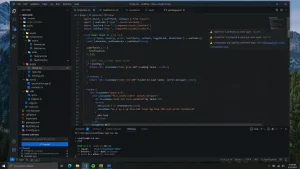
The Extension Budget Trick
I like the idea of giving a project an extension budget.
Not literally a financial budget — a complexity budget.
Start with the tools genuinely necessary for the repository.
When installing another extension, ask:
What problem am I unable to solve comfortably without this?
If the answer is vague, don’t install it.
You do not need three Git extensions, two formatters and four AI assistants because somebody posted a “20 VS Code extensions developers must use” video.
Profiles make this easier because web, Python and infrastructure work can have separate extension sets.
A Small VS Code Feature That Saves Bigger Problems
Project-level configuration deserves more attention.
A repository can carry workspace settings, debugging configurations and recommended behaviour rather than relying entirely on whatever happens to be configured on a developer’s laptop.
That means new team members spend less time recreating somebody else’s setup manually.
The integrated Git diff is also worth using before every commit.
It catches accidental formatting changes, debugging statements and files that should never have been edited surprisingly often.
Remote Development Changes the Equation
VS Code also becomes more useful once development moves beyond the local machine.
SSH environments, WSL and Dev Containers mean the interface can remain familiar even when the code is running somewhere different.
And Microsoft is now taking agentic workflows much further. The Agent Host announced on August 26, 2026 is designed to let agent sessions persist after an editor window closes and remain available across local, remote and browser clients.
That tells me VS Code is gradually becoming less of a text editor and more of a place where development processes meet.
Where VS Code Annoys Me
Formatting conflicts.
Anyone who installs enough extensions eventually encounters the situation where saving one file causes two different tools to disagree about how that file should look.
Then there is settings.json.
A beautifully customised editor eventually develops a settings file nobody wants to troubleshoot.
The solution is normally subtraction rather than another plugin.
My take: VS Code remains the safest general-purpose editor recommendation in 2026. The trick is not learning how to add everything. It is learning how little you actually need.
2. GitHub Copilot: I Would Measure It by Accepted Code, Not Impressive Demos
AI coding demonstrations usually show the perfect prompt producing the perfect function.
Normal development is less dramatic.
Copilot is most valuable when it quietly removes small pieces of repetitive work.
An obvious example is tests.
Once one test establishes the pattern, generating the first draft of similar cases can save time. The same applies to data transformations, basic types, repetitive validation and ordinary functions where the developer already understands the expected result.
That last part matters.
AI assistance works best when you can recognise a wrong answer.
GitHub’s current individual plans include Free, Pro at $10 per month, Pro+ at $39 and Max at $100. Paid plans increasingly cover agent work and code review as well as traditional completion. GitHub also now measures many AI features using AI credits, while paid-plan code completions remain unlimited.
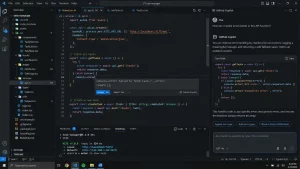
The Three-Pass Copilot Rule
For important generated code, I would use three passes.
Pass one: Does it run?
That is the lowest bar.
Pass two: Does it solve the actual requirement?
A function can compile perfectly and still misunderstand the business rule.
Pass three: Would I have written it this way myself?
Check naming, error handling, security and maintainability.
If the code only survives pass one, Copilot has not finished the work.
Where Copilot Is Better Than Asking for Whole Features?
Code explanation.
Pointing AI at an unfamiliar function and asking what data enters it, what it changes and where the result goes can be more valuable than generating something new.
That is particularly useful during onboarding or when returning to an old repository.
For teams already working deeply inside GitHub, AI development also becomes easier to integrate because Copilot now participates in more of the repository workflow rather than existing only inside the editor.
One Bad Habit to Avoid
Do not accept suggestions faster than you can understand them.
The danger of AI code is rarely that it looks ridiculous.
The dangerous code looks reasonable.
Best use: predictable work where a developer understands the destination.
Poor use: security-sensitive logic being generated and approved by the same person without proper review.
3. Cursor: Give the Agent a Fence Before Giving It the Garden
Cursor is where AI development becomes more interesting because the unit of work can be larger.
Instead of:
“finish this function”
the request might become:
“trace where account permissions are checked, update the implementation and adjust the relevant tests.”
That crosses several files.
This is where repository-aware tools earn their place.
Cursor’s current individual pricing runs from Hobby to Pro at $20 per month, Pro+ at $60 and Ultra at $200. Model choice matters because different models consume included usage at different rates.
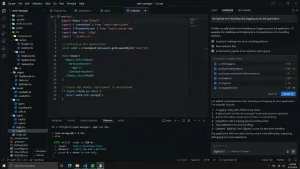
My Rule for Agents: Define the Fence
Before giving an agent a task, state what it must not change.
For example:
- do not modify the public API;
- do not change the database schema;
- do not touch authentication;
- keep existing tests passing;
- only modify files under these directories.
Developers often spend a lot of time explaining what they want.
Agents also need to know what is out of bounds.
That reduces the enormous 25-file diff where the AI decided a small fix was an opportunity to redesign half the application.
Another Trick: Ask for the Map Before the Edit
For unfamiliar code, do not start with:
“Fix this.”
Start with:
“Show me where this behaviour originates and which files participate in it.”
Read that explanation.
Then give the modification instruction.
This turns repository AI into a navigation tool before it becomes an editing tool.
Cursor’s Real Cost Is Not Only Subscription Price
Large agent requests consume more context and model usage.
It is easy to think about AI subscriptions as a fixed £10–£20 software expense, but advanced AI editors increasingly behave more like cloud services: the workload matters.
Keep an eye on the usage dashboard.
Do not send a frontier model to rename three variables.
My take: Cursor is more compelling when AI is doing repository work. If all you want is occasional autocomplete, a simpler assistant may be enough.
4. Docker: The Best Time to Add It Is the Second Time “Works on My Machine” Happens
Suppose a project requires:
Node.js, PostgreSQL, Redis and a worker.
Developer A has the current PostgreSQL version.
Developer B has an older installation.
Developer C already uses the same port for something unrelated.
Docker suddenly makes a lot of sense.
The main benefit is not containers themselves.
It is removing local-environment personality.
Docker Personal remains free for individual use under its licensing terms, while Pro is currently $9 per month on annual billing or $11 monthly.
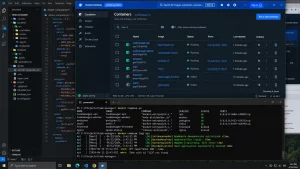
A Trick That Makes Docker Compose Easier to Live With
Give services meaningful names.
database, redis, worker, mail, api.
Do not build a local environment that requires remembering five random port numbers.
Developers should think:
“check the database”
not:
“which thing was running on 5437 again?”
The Friday Afternoon Rule
Never introduce a complicated Docker change late on Friday unless you particularly enjoy learning about volumes under pressure.
More seriously, understand these four things early:
images, containers, volumes and networks.
Many Docker problems become much less mysterious once developers stop treating them as one concept.
When Docker Becomes Overkill
A tiny static site does not become more professional because it has a 40-line Dockerfile.
Containerisation should solve a problem.
It is not a certificate proving that a project follows DevOps practices.
Useful rule: containerise dependencies when inconsistency costs more time than the container setup.
5. Postman: Treat API Collections Like a Shared Kitchen
A clean shared kitchen is excellent.
A kitchen where everybody leaves something behind eventually becomes unusable.
Postman workspaces behave the same way.
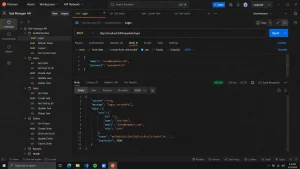
The product becomes valuable once an API has enough requests, environments, authentication states and developers that curl history is no longer an acceptable collaboration system.
The current Postman Free plan includes the core API client. Solo starts at $9 per month when billed annually, and Team at $19 per user per month annually.
My Favourite Postman Habit: Make the Collection Tell a Story
Do not organise requests only by HTTP method.
Organise them around behaviour.
For example:
Authentication
- Register
- Login
- Refresh token
- Logout
Customer
- Create customer
- Retrieve customer
- Update customer
A new developer should be able to open the collection and roughly understand how the API works.
Clean Variables Before Sharing
Never hide a real production token somewhere inside a request and assume nobody will notice.
Use environments.
Better still, make example environments safe to share.
Delete Requests
This sounds obvious.
It is not.
If a request has been obsolete for six months, delete it.
A collection with 60 requests where 20 are outdated is worse documentation than a collection with 35 trustworthy ones.
Postman is good at making API information shareable.
The team still has to make that information worth trusting.
6. Supabase: Move Fast, but Test Permissions Slowly
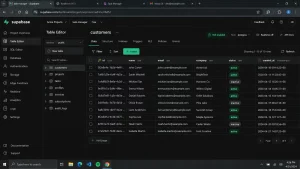
Supabase removes an impressive amount of early backend work.
Database.
Authentication.
Storage.
APIs.
Real-time data.
A small product team can have those things available before somebody building everything from scratch has finished designing the account system.
The attraction is stronger because PostgreSQL remains underneath it.
Supabase’s Free plan currently includes a 500 MB database, while Pro begins at $25 per month and includes more production-oriented capacity and backups.
The Security Trick I Would Make Mandatory
When using Row Level Security, test the application as:
- the intended user;
- a different logged-in user;
- an unauthenticated visitor.
Developers commonly test whether someone can access information.
Security also requires testing whether someone cannot access information.
Create test accounts that intentionally try to read each other’s data.
That fifteen-minute exercise is more valuable than assuming the policy looks correct.
Keep SQL Skills
Supabase makes databases convenient.
It does not make database design optional.
Learn joins.
Understand indexes.
Look at slow queries.
Know what foreign keys are protecting.
A platform can provide an excellent PostgreSQL experience while a team still creates a terrible PostgreSQL database.
A Good Use Case
A SaaS MVP is almost the perfect example.
The team needs authentication and a serious relational database but should probably spend most of its energy understanding the customer problem.
That is exactly the kind of undifferentiated backend work Supabase removes.
My take: use the convenience aggressively, but never delegate your understanding of the data model to the platform.
7. Vercel: The Best Deployment Is the One Nobody Has a Meeting About
Frontend deployment should be boring.
Vercel gets remarkably close to that.
Connect a repository.
Push code.
Get a deployment.
Its Hobby tier remains free and Pro is currently $20 per month with included usage credit.
The feature I value most is not the production deployment.
It is the preview.
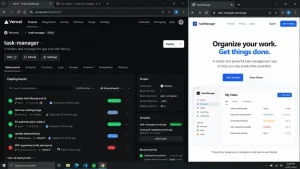
A designer, developer or client can inspect a pull request using a live environment without checking out the branch locally.
That reduces an entire category of:
“Can you run this on your machine?”
conversation.
The Preview URL Trick
Put preview URLs directly into the review workflow.
Do not make reviewers search for them.
If a pull request changes UI, the live preview should be immediately visible.
The easier testing becomes, the more likely people are to actually test.
Configure Cost Controls Before You Need Them
Projects usually become expensive gradually, not dramatically.
Traffic increases.
Functions execute more often.
Images are processed.
Builds multiply.
Do not wait for the first uncomfortable invoice before looking at usage.
Vercel specifically highlights spend-management functionality in its current Pro offering.
Where I Would Stop Reaching for Vercel
Long-running background processes, unusual networking requirements or complex infrastructure may belong elsewhere.
Do not force an architecture into the platform merely because the frontend deployment experience is excellent.
8. Prisma: Let the ORM Save Typing, Not Thinking
Prisma shines in a TypeScript project when the database and application code need to stay aligned.
Change the schema and types can help reveal affected code before production users do.
That is useful.
Its ORM remains free to use, while the broader Prisma platform currently offers Free, $10 Starter, $49 Pro and $129 Business tiers.
The Migration Habit I Recommend
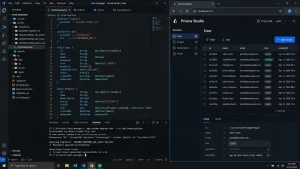
Never treat a generated migration as an unread receipt.
Open it.
Especially before:
- dropping a column;
- changing nullability;
- changing relationships;
- transforming existing data;
- introducing a uniqueness constraint.
The ORM knows what schema you requested.
It does not know that deleting one apparently unused column ruins the finance team’s reporting export.
Name Relations for Humans
Database naming eventually becomes documentation.
If a relation name requires explaining every time somebody reads it, fix the name.
A good schema is not just valid.
It tells a developer what the data means.
Prisma Does Not Cancel SQL
At some stage an ORM abstraction leaks.
A query becomes slow.
A join produces far more rows than expected.
An index is missing.
That is when knowing SQL stops being optional.
My take: Prisma is excellent at making ordinary database work safer and faster. Use that saved time to understand the database better, not less.
9. GitHub or GitLab: Design the Repository for the Developer Who Arrives Next Year
Version control has one underrated job.
It explains the past.
Six months after a feature ships, somebody will ask:
Why does this code work like this?
The commit history, issue and pull request should make the answer easier.
GitHub currently offers unlimited public and private repositories on Free, while Team is listed at $4 per user per month. GitLab’s Free tier includes source control and CI/CD, while Premium is currently $29 per user per month billed annually.

Write Commits for Archaeologists
“fix”
“updates”
“changes”
These messages are useless.
Try:
Prevent duplicate subscription creation during webhook retry
Now somebody reading the history knows what happened without opening the diff.
Pull Requests Should Explain Why
The code already shows what changed.
Use the pull-request description to explain:
- why the change was needed;
- what was deliberately not changed;
- any risky assumptions;
- how it was tested.
That context gets more valuable with age.
GitHub vs GitLab
For a new project without unusual requirements, GitHub is normally the simplest default because the ecosystem and developer familiarity are enormous.
GitLab becomes particularly interesting when an organisation wants more of its DevSecOps workflow integrated, including CI/CD, governance and self-managed deployment options. GitLab’s current Premium offering also incorporates agentic capabilities into its wider platform.
Neither platform fixes bad Git habits.
10. Playwright: Start With the Journey That Makes or Loses Money
It is tempting to test everything.
That usually produces a slow and fragile test suite.
Instead, ask:
What breaking would make tomorrow a very bad day?
For an ecommerce business:
checkout.
For SaaS:
login and subscription creation.
For a marketplace:
listing and payment.
Start there.
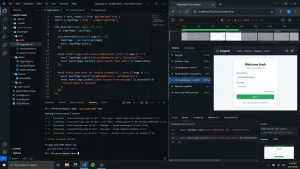
Playwright’s auto-waiting helps reduce a class of timing problems because actions check whether elements are ready before interacting with them. Its Trace Viewer is particularly helpful when a test fails in CI and the problem is difficult to reproduce locally.
The Money-Path Rule
I divide tests roughly into three levels:
Money paths – revenue, payments, subscriptions.
Access paths – registration, login, account permissions.
Convenience paths – filters, preference screens and minor interactions.
Money first.
Access second.
Do not spend three days perfecting tests for a colour preference while checkout remains manually tested.
Debug the Failure, Don’t Immediately Retry It
A flaky test is trying to tell you something.
Maybe the selector is poor.
Maybe the application really has a race condition.
Automatically retrying everything five times can convert useful information into green CI.
Trace the failure first.
Avoid Testing Implementation Details
A user does not care whether an internal React state variable changed.
They care whether clicking “Pay” completes the payment.
Test behaviour.
That makes the suite survive refactoring much better.
11. Jira: My Preferred Workflow Has Fewer Statuses Than You Think
Jira can be excellent.
Jira can also become a second job.
The difference is usually the workflow.
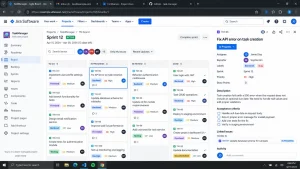
The current Jira Free tier supports up to 10 users. Standard is presently listed at $7.91 per user per month and Premium at $14.54, although actual costs depend on user count and billing choices.
The Four-Status Test
For many software teams, I would begin with:
To Do → In Progress → Review → Done
Only add another status when the team can explain the operational decision it enables.
“Ready for Pre-Review”
“Awaiting Review”
“Review Pending”
“Ready for QA Preparation”
That is normally process theatre.
Tickets Should Be Small Enough to Finish, Large Enough to Matter
If one ticket represents three weeks of development, it gives almost no visibility.
If every tiny code change has its own ticket, Jira becomes administrative overhead.
The useful unit is usually a piece of behaviour that can be discussed, developed and reviewed independently.
A Trick for Better Tickets
Include one sentence beginning:
“This is done when…”
For example:
“This is done when a customer can update the billing address and the change appears on the next invoice.”
That is considerably clearer than:
“Improve billing profile functionality.”
Jira is not the problem when teams hate Jira.
Often the problem is unclear work that has been encoded into a complicated board.
12. Slack: If a Decision Matters Next Month, Move It Somewhere Else
Slack is excellent at fast communication.
That is also the reason important information disappears inside it.
The current Pro plan costs $7.25 per active user per month when billed annually, with features including full message history and basic AI capabilities.

The 24-Hour Decision Rule
If a Slack conversation produces a decision likely to matter after 24 hours, record it somewhere permanent.
That could be:
- a GitHub issue;
- pull request;
- Jira ticket;
- architecture note;
- project document.
Then put the link back into Slack.
This turns chat into the conversation layer rather than pretending it is the company database.
Notifications Need an Admission Policy
Do not connect every developer service simply because an integration exists.
A channel showing:
every commit,
every CI run,
every deployment,
every ticket update,
every monitoring event
will eventually be ignored completely.
Ask one question before enabling an automated notification:
What action should somebody take after seeing this?
If the answer is “nothing”, perhaps it does not need to interrupt the team.
Huddles Have a Good Threshold
If a technical conversation has produced 15 back-and-forth messages and confusion is increasing, five minutes of voice may be cheaper.
Then write down the decision.
Slack is useful for speed.
Documentation is useful for memory.
Do not confuse the two.
13. AWS or Azure: The Most Advanced Architecture Is Often the One You Should Avoid
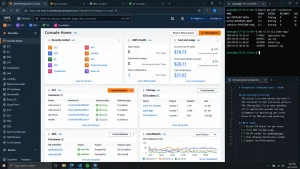
AWS and Azure can solve an extraordinary range of infrastructure problems.
That does not mean your application has those problems.
Cloud architecture has an odd tendency to become impressive on diagrams before it becomes useful to customers.
A straightforward application might need:
an app,
a database,
object storage,
a queue,
and monitoring.
It probably does not need fourteen distributed services merely because the cloud provider offers them.
The Boring Architecture Test
Before introducing another managed cloud service, ask:
Could the existing architecture handle the next 10× growth?
If yes, leave it alone unless another problem justifies the change.
Teams frequently optimise for a scale they have not reached while slowing down the product they need to build today.
Give Everything an Owner and a Tag
Cloud resources become expensive when nobody remembers they exist.
For every meaningful resource, record:
- environment;
- project;
- owner;
- purpose.
This makes forgotten test databases and temporary machines easier to identify.
Create a Monthly “What Are We Paying For?” Review
Not a finance meeting.
A technical review.
Look at the largest cost changes.
Ask whether the architecture caused them.
Cloud cost is engineering feedback.
A sudden increase may reveal inefficient storage, logging, data transfer or compute patterns before it becomes a serious problem.
AWS or Azure?
The right answer often depends more on the organisation than the application.
A company built around Microsoft identity and enterprise services may find Azure natural.
A team with deep AWS knowledge and an existing AWS estate gains little by switching because somebody preferred another provider’s dashboard.
My take: cloud expertise is not knowing 200 services. It is knowing which nine you can safely ignore.
14. GitHub Actions or CircleCI: Automate the Things Humans Forget When They Are Tired
CI/CD is not primarily about deployment speed.
It is about consistency.
Developers forget things.
Especially late in the day.
A good pipeline does not.
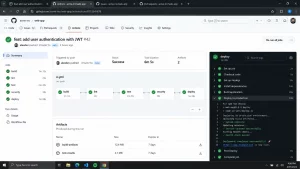
If code should never reach the main branch without linting, testing and a successful build, automate those conditions.
GitHub’s Free plan currently includes 2,000 Actions minutes monthly for private-repository use, with Actions free for standard GitHub-hosted runners in public repositories. CircleCI’s Free plan currently offers up to 6,000 build minutes on the small Docker resource, while its Performance tier begins at $15 per month.
CircleCI also updated its detailed credit pricing on August 31, 2026, which is a reminder that CI costs depend heavily on the resources used rather than simply the number of pipelines.
The “Red Before Merge” Rule
A failing required check should block the merge.
Otherwise it is not really a required check.
Teams sometimes create CI and then gradually teach everyone that red pipelines can be ignored.
That destroys most of the value.
Start With Verification, Not Deployment
My first CI workflow would usually do:
- install dependencies;
- lint;
- run unit tests;
- run important integration tests;
- build.
Only after those are trustworthy would I spend time building sophisticated deployment automation.
Keep YAML Boring
A 600-line CI configuration deserves refactoring.
Move repeated logic into scripts or reusable workflows.
The pipeline should explain the delivery process, not hide it inside indentation.
GitHub Actions vs CircleCI
If the code already lives on GitHub, Actions is the obvious first experiment.
CircleCI remains useful when a team needs its particular execution model, resources or has an established pipeline that already works.
Do not migrate reliable CI simply to modernise the logo.
15. New Relic or Datadog: Every Alert Should Ruin Someone’s Day a Little
That sounds negative, but it is a useful rule.
If an alert arrives and nobody cares, why is it an alert?
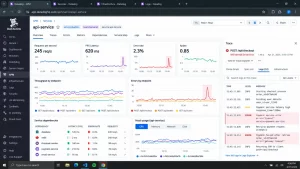
Production monitoring is valuable because real users create situations nobody reproduced locally.
A request takes 12 seconds.
An external API becomes unstable.
A deployment increases database load.
One region starts failing.
Observability helps turn:
“the website feels slow”
into something engineers can investigate.
New Relic currently includes 100 GB of data ingest per month on its free tier and prices additional standard ingest at $0.40/GB. Datadog’s Infrastructure Pro is currently listed from $15 per host per month when billed annually.
The Actionable Alert Test
For every alert, answer:
Who owns this?
What action are they expected to take?
How quickly?
If those answers do not exist, consider turning it into a dashboard metric instead.
Monitor Symptoms Before Causes
CPU at 70% may be fine.
Customers receiving errors is not.
Start with signals related to user impact:
- error rate;
- request latency;
- failed transactions;
- unavailable dependencies.
Then use infrastructure telemetry to diagnose the cause.
Watch Log Volume
Logging everything “just in case” becomes expensive and makes useful events harder to find.
Good logs answer questions.
Bad logs generate storage.
New Relic or Datadog?
Both can provide deep observability.
I would run a small proof of concept against a real application rather than deciding from product comparison tables.
Instrument one important service.
Create one dashboard.
Set up three useful alerts.
Then ask which platform developers actually understand faster.
The fanciest dashboard is not automatically the best operational tool.
The Stack Debt Problem Nobody Talks About
Technical debt exists inside application code.
There is also stack debt.
Stack debt appears when a team keeps adding tools without removing anything.
One product handles error tracking.
Another handles logs.
A third handles infrastructure metrics.
Two AI assistants sit in the editor.
Three project-management integrations post into Slack.
Two CI systems exist because the migration never quite finished.
No individual decision was terrible.
The combination is.
Run a Stack Debt Check Every Six Months
Create a simple table.
| Tool | Who Uses It? | What Problem Does It Solve? | Monthly Cost | What Happens If We Remove It? |
|---|
Any row where nobody can explain the second or third column deserves investigation.
This exercise frequently finds software that everybody assumed somebody else needed.
Five Developer-Tool Tricks I Would Carry Into Any Project
1. Apply the 30-Minute Setup Rule
A new developer should be able to make meaningful progress quickly.
Not necessarily have the entire enterprise platform running in thirty minutes, but they should understand what is happening.
If local setup takes two days, automate or document it better.
2. Keep One “Golden Path”
Every repository should have a clearly preferred way to:
install,
run,
test,
build,
and deploy.
Developers can customise their own workflows later.
The project itself needs one reliable path.
3. Have an Extension and Integration Budget
More integrations create more dependencies.
Before adding another tool connection, ask whether an existing one already solves 80% of the problem.
4. Measure AI by Rework
Do not only measure how much code an AI agent generated.
Ask how much of that code required rewriting.
Ten thousand generated lines with 40% rework may be less useful than 1,000 lines that were carefully targeted.
5. Prefer Reversible Decisions Early
A startup rarely knows what its infrastructure will look like in three years.
Choose tools that help today without unnecessarily locking every part of the application to them.
What Stack Would I Choose for Different Types of Developers?
Solo Developer
I would keep the stack small:
VS Code + GitHub + GitHub Actions + Vercel
Then add tools only after pain appears.
An AI assistant can join early if it genuinely helps.
SaaS Startup
A practical combination might be:
VS Code or Cursor + GitHub + Supabase + Prisma + Vercel + Playwright + GitHub Actions
That covers most of the development lifecycle without requiring a dedicated infrastructure team.
API-Heavy Product
Add:
Docker + Postman
This improves local environment consistency and gives the team a shared API workspace.
Larger Product Team
At this stage, Jira and Slack begin to earn their place because coordination has become a real engineering problem.
Mature Production Platform
This is where AWS or Azure plus New Relic or Datadog become easier to justify.
The project has enough infrastructure and enough users that operational visibility matters.
What Has Changed Most in Developer Tools in 2026?
The biggest shift is the size of the task we are willing to give software.
Autocomplete suggests a line.
An assistant writes a function.
An agent can investigate a repository, modify multiple files, run commands and prepare work for review.
GitHub Copilot now includes agent-oriented functionality across its paid plans, while Cursor has separate usage structures designed around heavier agent workflows. VS Code’s new Agent Host architecture is another clear sign that long-running, portable agent sessions are becoming part of mainstream developer tooling.
This does not make engineering judgement less important.
It makes judgement more leveraged.
If one developer can ask an agent to change twenty files, one poorly specified request can also create twenty files of bad assumptions.
The valuable developer skill is gradually moving from:
“Can I type this implementation?”
towards:
“Can I define the right problem, understand the system and recognise whether the implementation is actually correct?”
Should Developers Pay for Several AI Coding Tools?
Not immediately.
The subscriptions overlap more than marketing pages suggest.
A developer might have:
Copilot,
Cursor,
another terminal agent,
and AI inside several other development products.
Each individual cost can appear reasonable.
Combined, they become significant.
I would choose one primary coding-AI workflow and track it for a month.
Ask:
- What tasks genuinely became faster?
- Which suggestions were accepted?
- Which tasks required substantial rework?
- Did the developer spend less time debugging?
- Did code review become easier or harder?
Then decide whether another AI tool fills an actual gap.
AI software should face the same ROI test as any other developer tool.
Final Thoughts
The best Droven io tech tools for developers are not really a fixed Top 15.
They are tools that become valuable at different moments.
- VS Code becomes useful because development work can meet in one adaptable environment.
- GitHub Copilot and Cursor become useful when AI reduces genuine implementation effort rather than generating impressive demos.
- Docker earns its place when environments stop matching.
- Postman earns its place when API knowledge needs to be shared.
- Supabase and Vercel become attractive when shipping matters more than building undifferentiated infrastructure.
- Prisma improves ordinary TypeScript database work.
- GitHub and GitLab preserve the development story.
- Playwright protects the user journeys nobody wants to manually test before every release.
- Jira and Slack become more useful as communication complexity increases.
- AWS and Azure solve infrastructure problems once those problems are genuinely large enough to exist.
- GitHub Actions and CircleCI remove human memory from the release process.
And New Relic or Datadog become important when production stops behaving like the developer’s laptop.
The common theme is simple.
Do not build a stack from a list. Build it from problems.
When a development problem becomes expensive enough, introduce the smallest tool that solves it well. And every few months, ask whether that tool still deserves to stay. That is a much healthier way to build a modern software development toolkit than collecting whatever happens to be popular in 2026.
Note: Product features and publicly listed pricing were checked against official vendor information on 7 September 2026. Pricing, usage allowances and product features can change.
FAQs About Droven io Best Tech Tools for Developers
What Are the Best Developer Tools to Start With in 2026?
For most developers, VS Code, GitHub and a reliable testing workflow provide a strong foundation. Tools such as Docker, Postman, Supabase, Vercel and AI assistants should be added when the project creates a clear need for them.
Is VS Code Still Worth Using in 2026?
Yes. VS Code remains particularly useful because it can support lightweight editing, Git, debugging, remote development, containers and increasingly agentic AI workflows inside one environment.
Is Cursor Better Than GitHub Copilot?
Not universally. Copilot is easier to add to an existing workflow, while Cursor makes more sense when AI is expected to work across larger parts of a repository. The better choice depends on how central AI is to development.
Do Small Projects Need Docker?
No. Docker is most useful when environment consistency, multiple services or container-based deployment create a real requirement. Adding it to a simple project without those problems can increase complexity unnecessarily.
Is Supabase Suitable for Production Applications?
Supabase offers production-oriented paid plans, PostgreSQL, authentication and security functionality, but teams still need appropriate database design, access-control policies, testing and capacity planning.
Should Every Project Use Playwright?
Not necessarily every project, but applications with important browser-based user journeys can gain significant value from end-to-end tests. Start with critical behaviours rather than attempting to automate every screen.
Is Jira Necessary for a Small Software Team?
Usually not. Small teams may find GitHub Issues, Trello or similarly lightweight systems sufficient. Jira becomes more useful when coordination, planning, permissions and cross-team dependencies increase.
Is AWS Better Than Azure for Developers?
There is no universal winner. Existing organisational expertise, technology choices, enterprise agreements, identity systems, infrastructure requirements and team skills usually matter more than generic feature comparisons.
Should GitHub Actions Replace CircleCI?
Not automatically. GitHub Actions is a sensible starting point for GitHub-hosted repositories, but a working CircleCI environment should only be replaced when migration produces a clear technical or financial benefit.
Are New Relic and DataDog Necessary for Every Production Application?
No. Smaller applications can begin with simpler monitoring. Full observability platforms become increasingly useful as application architecture, traffic, operational requirements and the financial cost of downtime grow.