








Last Updated : 16 Oct 2026
Choosing business analytics software used to mean finding a platform that could turn spreadsheets into charts. In 2026, the challenge is more complicated. Businesses need reliable reporting across multiple systems, controlled access to sensitive information, automated data preparation and increasingly, AI-assisted analysis.
The best business analytics tools are not necessarily those offering the most features. They are the platforms that help a business answer important questions accurately, without introducing unnecessary cost or technical complexity.
For a small retailer, that might mean identifying which products produce the highest profit after refunds and delivery expenses. For a marketing agency, it could mean understanding which campaigns generate paying customers rather than just website traffic. An established company may need consistent financial reporting across different departments or business entities.
This guide compares 15 analytics platforms available to UK businesses in 2026, examining their capabilities, limitations, pricing models and suitability for different organisations.
It also provides original worked cost calculations, a software evaluation framework and practical techniques for avoiding misleading dashboards.
Research approach: Product capabilities and selected prices were checked against publicly available vendor documentation in October 2026. Comparisons and recommendations are editorial assessments. Worked financial examples use disclosed assumptions, not unpublished customer data. No hands-on product benchmark is claimed.
What Are Business Analytics Tools, and Why Do Businesses Need Them?
Business analytics tools collect, organise, examine and present information from sources such as accounting systems, websites, customer relationship management software, inventory databases and payment platforms.
Their purpose is to help organisations understand performance and make decisions supported by evidence.
For example, a business may record £200,000 in monthly sales but struggle to explain why its cash balance is falling. An analytics platform could combine sales, refunds, payment fees, stock purchases and other operating costs to identify possible explanations.
However, analytics software does not automatically create accurate information. If two systems define revenue differently, combining them in one dashboard can produce misleading conclusions.
This distinction matters because businesses increasingly use dashboards to guide pricing, recruitment, marketing expenditure and financial planning.
What Is the Difference Between Business Analytics and Business Intelligence?
Business intelligence (BI) generally focuses on preparing, reporting and exploring business information. Business analytics is a broader discipline that can include forecasting, statistical modelling and optimisation.
The terms overlap, and many modern platforms support both.
| Analytics category | Question answered | Practical business example |
|---|---|---|
| Descriptive | What happened? | Monthly revenue increased by 8% |
| Diagnostic | Why did it happen? | Repeat orders and higher average order values contributed |
| Predictive | What might happen? | Forecasting next quarter’s demand |
| Prescriptive | What should we do? | Estimating the most profitable stock allocation |
A reporting dashboard may show that sales have declined. More advanced analysis can investigate whether the decline relates to lower traffic, weaker conversion rates, stock shortages or changes in customer spending.
The important difference is not the appearance of the charts. It is whether the system supports the investigation needed to make a decision.
Which Are the Best Business Analytics Tools in 2026?
The following comparison covers general-purpose BI platforms, specialist analytics products and open-source alternatives.
It deliberately separates entry-level reporting tools from enterprise platforms because comparing them as direct substitutes would mislead buyers.
Business Analytics Tools Comparison Table
| Tool | Particularly suitable for | Main consideration |
|---|---|---|
| Microsoft Power BI | Microsoft-based organisations | Licensing and data modelling |
| Tableau | Visual exploration and executive reporting | Creator and viewer licence costs |
| Qlik Cloud Analytics | Associative data exploration | Capacity and subscription limits |
| Zoho Analytics | SMEs using business applications | User and data-row allowances |
| Metabase | Startup and database reporting | Hosting and governance choices |
| Apache Superset | Technical teams needing open-source BI | Deployment and maintenance |
| Looker | Governed enterprise metrics | Modelling expertise and platform costs |
| Google Looker Studio | Marketing and website reporting | Connector and governance limitations |
| ThoughtSpot | Search-driven data exploration | Semantic model quality |
| Sigma | Cloud warehouse-based analysis | Warehouse costs and access design |
| Domo | Cloud reporting across departments | Consumption and commercial terms |
| IBM Cognos Analytics | Structured enterprise reporting | Administration and implementation |
| SAS Visual Analytics | Advanced and statistical analysis | Specialist requirements and cost |
| Spotfire | Technical and industrial analytics | Specialist expertise |
| Amazon QuickSight | AWS-based businesses | Cloud configuration and usage pricing |
Important: This is a suitability-based shortlist, not a laboratory-tested performance ranking. Buyers should evaluate the products against their specific requirements.
1. Microsoft Power BI – Best Starting Point for Microsoft-Based Businesses
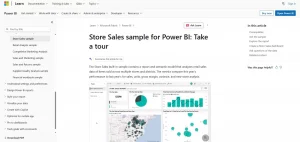
Microsoft Power BI is a strong candidate for organisations already using Excel, Microsoft 365, Azure or Microsoft Fabric.
Its Power Query data preparation features, DAX calculation language and interactive reporting environment support everything from basic sales dashboards to sophisticated financial models.
Power BI Desktop can be used to develop reports without paying for a Pro licence. However, sharing and consuming reports through the Power BI service introduces licensing requirements that businesses must assess before deployment.
According to Microsoft’s UK pricing information checked in October 2026:
| Licence | Published UK price |
|---|---|
| Free account | £0 |
| Power BI Pro | £10.80 per user/month |
| Premium Per User | £18.50 per user/month |
The quoted paid prices are based on annual payment terms and exclude VAT. Some Microsoft 365 or Office 365 enterprise subscriptions include Pro rights.
Where Power BI works particularly well: A financial controller can connect sales, payroll and expenditure information to monitor margins by department and period.
Where it becomes difficult: DAX calculations, relationships between tables, data refresh arrangements and workspace permissions can become complicated as reporting expands.
Practical buying advice: Ask an analyst to reproduce a monthly finance report in Power BI. Then confirm whether department managers can access the finished report using the licences already included in the organisation’s Microsoft subscriptions.
2. Tableau – Best for Detailed Visual Exploration

Tableau focuses strongly on interactive data exploration and visual communication.
It is especially useful when analysts need to examine relationships, distributions and unusual patterns rather than simply present a fixed set of monthly KPIs.
Its Creator, Explorer and Viewer licence structure allows businesses to give different levels of functionality to different users.
Published Tableau Standard cloud pricing in GBP includes:
| Licence | Starting price per user/month |
|---|---|
| Creator | £60 |
| Explorer | £34 |
| Viewer | £12 |
These are published Standard Edition figures with annual billing. Higher editions and additional services can change the total cost.
Tableau also supports Tableau Pulse, which helps users follow business metrics and receive insights. The availability of advanced AI features depends on product edition and entitlements.
Where Tableau works particularly well: A retail organisation comparing purchasing behaviour across regions, store formats and customer groups.
Main limitation: A dashboard involving a few analysts and many viewers can carry a different cost profile from one used primarily by report creators.
Practical buying advice: Test how easily users can move from a high-level revenue chart to the transactions responsible for an unexpected result. Attractive visualisations have limited value if managers cannot investigate the underlying figures.
3. Qlik Cloud Analytics – Best for Exploring Relationships Across Data
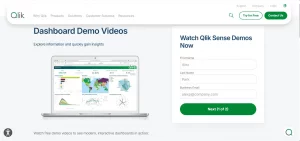
Qlik’s associative analytics approach allows users to investigate relationships between datasets without restricting every investigation to a predefined reporting path.
For example, a distributor could explore the relationship between delayed deliveries, product categories, regional customers and supplier performance.
Qlik Cloud Analytics offers dashboards, data integration, reporting automation and AI-related capabilities. Its pricing structure deserves particular attention.
The published October 2026 US pricing starts at approximately $300 per month for a Starter package covering ten users, while Standard begins at $825 per month based on data capacity. The limits and included capabilities differ by tier.
Where Qlik works particularly well: Businesses needing exploratory analysis across multiple operational systems.
Main limitation: A growing organisation must understand the difference between user-based Starter pricing and data-capacity-based higher tiers.
Practical buying advice: Estimate the quantity of data that will be loaded and retained for analysis, not merely the size of the original database. Request clarification about reload limits, application size and additional capacity costs.
4. Zoho Analytics – Best for SMEs Seeking Accessible Reporting
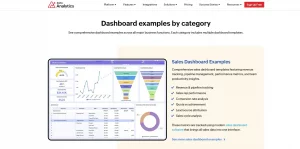
Zoho Analytics is an option for smaller companies that want business reporting without immediately building a dedicated analytics engineering team.
It provides dashboards, reporting, data preparation and connections to multiple business applications, including Zoho products and supported third-party services.
Zoho publishes a free plan with two users, up to 10,000 rows and five workspaces, alongside paid plans with greater user and data allowances.
This creates a relatively accessible starting point for a small organisation with limited reporting requirements.
Where Zoho works particularly well: A service company using CRM and invoicing software to examine sales activity, outstanding payments and customer trends.
Main limitation: Higher data volumes, additional users or specialised integrations may require a different subscription.
Practical buying advice: Before choosing a plan, count the historical data rows that will actually be imported. A business with 30,000 sales records each month could quickly outgrow a small-row allowance if it retains detailed transaction history.
5. Metabase – Best for Startups and Database-Driven Reporting
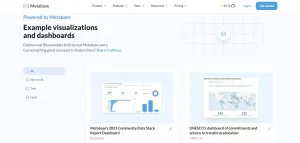
Metabase is particularly interesting for companies that already store operational data in a database but lack a convenient interface for employees to explore it.
Users can construct queries visually, while technical staff can use SQL to build more complex reporting logic.
Metabase provides an open-source self-hosted edition and commercial subscription options.
Its published Starter cloud offering was advertised from $100 per month on monthly billing or $90 per month with annual billing at the time of review.
Where Metabase works particularly well: A software company monitoring subscription renewals, customer activity, product adoption and support performance.
Main limitation: Self-hosting removes the software subscription cost for the open-source edition but creates responsibility for infrastructure, updates, backups and security.
Practical buying advice: Separate read-only analytics database access from systems that process live customer transactions. Reporting should not unnecessarily interfere with critical operational workloads.
6. Apache Superset – Best for Technical Teams Seeking Open-Source BI
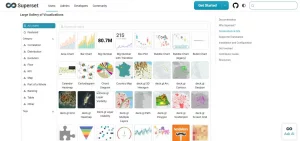
Apache Superset is an open-source platform designed for data exploration, dashboards and visualisation.
It can connect to supported databases and provides interfaces for creating charts and dashboards.
Its attraction is flexibility rather than a promise of zero operating cost.
An organisation using Superset still needs the technical resources to deploy, monitor, secure and maintain the environment.
Where Superset works particularly well: Engineering-led organisations with established database infrastructure and people capable of managing an analytics service.
Main limitation: It may require more operational effort than a fully managed commercial platform.
Practical buying advice: Calculate an internal monthly administration allowance before declaring it cheaper than subscription software. A nominally free product can become expensive if maintenance repeatedly interrupts engineers’ main responsibilities.
7. Looker – Best for Companies Needing Consistent Business Metrics
Google Cloud’s Looker is designed around governed business intelligence and semantic modelling.
A semantic layer provides a controlled definition of measures such as revenue, active customers and conversion rate.
This matters when departments use the same words but calculate figures differently.
Consider a company where the finance department excludes refunds from revenue, while marketing reports the original order amount. Both dashboards might appear correct individually while telling management conflicting stories.
A common semantic model can reduce these inconsistencies.
Looker pricing includes platform and user components, with published enterprise purchasing arrangements typically requiring a quotation.
Where Looker works particularly well: Companies with a central data platform and several departments requiring consistent, reusable metrics.
Main limitation: Successful implementation usually depends on capable data modelling and governance.
Practical buying advice: Ask two departments to build the same revenue report independently using the governed definitions. If the totals differ, investigate the modelling process before committing to a wider rollout.
8. Google Looker Studio – Best for Accessible Marketing Dashboards
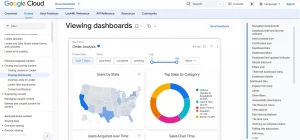
Google Looker Studio offers a practical way to produce dashboards using supported connectors and data sources.
It is particularly relevant to organisations reporting on website traffic, search performance and marketing activity.
It should not be confused with the full Looker BI platform. The two have different architectures, administration capabilities and commercial considerations.
Paid organisational capabilities have also been offered through Looker Studio Pro, with Google documentation and product naming subject to updates.
Where it works particularly well: A small marketing team combining Google Analytics and Search Console information into a recurring performance report.
Main limitation: Data availability, connector refresh behaviour, credentials and third-party connector charges can affect reliability.
Practical buying advice: Check who owns the report and its data credentials. A dashboard should not fail simply because the employee who created it leaves the business.
9. ThoughtSpot – Best for Search-Led Analytics
ThoughtSpot focuses on making data exploration accessible through search and natural-language interactions.
Instead of asking an analyst to create a new dashboard for every question, a manager may be able to investigate approved data more directly.
This can be useful for organisations where operational questions change frequently.
However, conversational analytics is only dependable when the underlying data and business definitions are dependable.
Where ThoughtSpot works particularly well: Teams that want self-service exploration without submitting a new reporting request for every question.
Main limitation: Natural-language interfaces do not eliminate the need for modelling, security controls or business context.
Practical buying advice: Ask five employees to phrase the same business question differently. Compare the generated results and investigate whether the system consistently understands the intended metric.
10. Sigma – Best for Teams Working with Cloud Data Warehouses
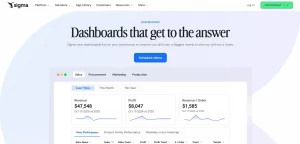
Sigma is designed for analysis involving cloud data platforms and spreadsheet-style workflows.
Its interface can make warehouse data more accessible to business users who are comfortable working with tables and formulas.
For organisations already investing in a cloud warehouse, this approach may reduce the number of separate datasets copied into reporting tools.
Where Sigma works particularly well: Finance and operations teams that need flexible analysis over governed warehouse data.
Main limitation: Business users may generate expensive or inefficient queries if access, caching and computational costs are not managed carefully.
Practical buying advice: During a trial, measure warehouse query consumption as well as software subscription charges. The total reporting cost depends on both.
11. Domo – Best for Cross-Department Cloud Reporting
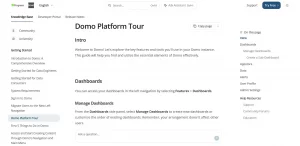
Domo combines data connections, dashboards and business-oriented reporting workflows.
It may suit organisations that need to bring information from several cloud services into one reporting environment.
The buying decision should consider ingestion frequency, data processing, governance and applicable consumption limits alongside dashboard functionality.
Where Domo works particularly well: An organisation consolidating sales, marketing and service reporting from different departments.
Main limitation: Buyers need a clear explanation of the metrics that determine charges under their chosen commercial agreement.
Practical buying advice: Request a written cost estimate based on the organisation’s projected users, refresh frequency and volume of data processed, rather than relying on a demonstration environment.
12. IBM Cognos Analytics – Best for Structured Enterprise Reporting
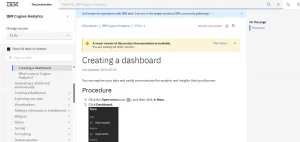
IBM Cognos Analytics remains relevant for organisations requiring controlled reporting, scheduled distribution and established governance arrangements.
It supports dashboards, reporting and AI-assisted functionality, with capability depending on licence type.
IBM’s published indicative pricing in 2026 starts at $10.60 per month for a Standard authorised user and $42.40 for Premium, with country-specific pricing and applicable taxes potentially differing.
Where Cognos works particularly well: Finance, public-sector and other organisations with formal reporting approval processes.
Main limitation: A structured enterprise implementation can require more planning and administration than a lightweight dashboard product.
Practical buying advice: Evaluate whether reports can be scheduled, reviewed, restricted and distributed according to the business’s existing management controls.
13. SAS Visual Analytics – Best for Advanced Analytical Work
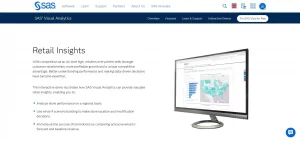
SAS Visual Analytics is aimed at organisations needing data exploration, visual analysis and access to broader advanced analytics capabilities.
It is more relevant when decision-making requires sophisticated analysis than when the requirement is merely to replace a monthly Excel chart.
Where SAS works particularly well: Larger organisations with statistical analysis requirements, established data specialists or complex risk and forecasting processes.
Main limitation: Specialist functionality can increase training and procurement complexity.
Practical buying advice: Identify which advanced analytical tasks the organisation will actually perform. Avoid purchasing a sophisticated platform solely because predictive analytics is included in a sales presentation.
14. Spotfire – Best for Technical and Industrial Analytics
Spotfire provides interactive visual analytics suited to complex datasets and specialist analytical environments.
It can be particularly useful where the objective is to investigate patterns in manufacturing, scientific, operational or other technical data.
Businesses comparing vendors should use current Spotfire product documentation rather than relying on older branding or historical subscription information.
Where Spotfire works particularly well: Technical analysts investigating operational anomalies and complex relationships.
Main limitation: Its value depends on the organisation having the data, expertise and analytical use cases to justify specialist functionality.
Practical buying advice: Test the platform with an existing difficult analytical problem rather than a generic sales dashboard.
15. Amazon QuickSight – Best for AWS-Based Reporting
Amazon QuickSight provides cloud BI functionality and can be attractive to businesses already using AWS infrastructure.
It supports reporting, interactive dashboards, reader access and AI-related functionality across different subscriptions.
The published pricing reviewed in October 2026 included standard Author access at $24 per user/month and Reader access at $3 per user/month.
Premium user types, capacity options and certain advanced functionality can introduce additional charges.
Where QuickSight works particularly well: Organisations already storing relevant operational data in AWS and seeking integrated reporting.
Main limitation: Total costs may depend on user types, capacity, infrastructure and selected AI functionality.
Practical buying advice: Request an estimate that includes expected dashboard viewers, authors, data processing, associated AWS services and any applicable account-level charges.
How Much Do Business Analytics Tools Actually Cost in the UK?
Subscription prices are only one part of the purchasing decision.
A proper comparison should distinguish between employees who build reports, those who explore data and those who simply read dashboards.
Original Cost Calculation: Power BI vs Tableau
Consider a hypothetical UK business with 20 reporting users:
- Three analysts create and maintain dashboards.
- Seventeen managers only need to view reports.
- The organisation chooses ordinary commercial cloud licences.
- Existing enterprise entitlements, capacity arrangements and implementation expenses are excluded.
Using the verified published prices described earlier:
| Cost component | Power BI Pro | Tableau Standard Cloud |
|---|---|---|
| Three dashboard creators | £32.40/month | £180/month |
| Seventeen dashboard viewers | £183.60/month | £204/month |
| Total monthly licence cost | £216 | £384 |
| Annual licence cost | £2,592 | £4,608 |
Calculated difference: £2,016 per year.
This represents approximately 77.8% more annual licence expenditure for the modelled Tableau configuration compared with the Power BI configuration.
These are not functionally identical subscriptions. They have different capabilities and contract structures, and the result should not be interpreted as proof that one platform always provides better value.
The comparison demonstrates something important: a software decision can change substantially depending on how many people create dashboards and how many only consume them.
For a business with 100 viewers, the commercial calculation could look very different again.
What Hidden Costs Should Businesses Include?
A realistic first-year cost model should include software subscriptions, data connectors, implementation, employee training, administration and infrastructure.
For example, a £2,500 annual licence expenditure might accompany £4,000 in implementation, £1,500 in training and £1,000 in additional annual operating costs.
The total first-year expenditure would then be £9,000, not £2,500.
These figures are hypothetical, but the method prevents companies from choosing software solely on the lowest displayed subscription price.
For a fair comparison, prepare a three-year model that distinguishes one-off implementation expenditure from recurring costs and includes a realistic growth scenario.
Can Business Analytics Software Deliver a Financial Return?
Analytics software does not automatically increase revenue. Its measurable value often comes from reducing manual reporting work, improving the timing of decisions or identifying avoidable operating costs.
Consider a finance team producing five monthly management reports.
Assume each report requires eight hours of manual preparation, and a new reporting process reduces this work by 60%.
| Calculation | Illustrative result |
|---|---|
| Existing reporting workload | 40 hours/month |
| Time reduction | 60% |
| Hours saved | 24/month |
| Assumed fully loaded staff cost | £32/hour |
| Monthly value of saved capacity | £768 |
| Annual value of saved capacity | £9,216 |
If the annualised cost of the reporting solution, including implementation, is £3,000, the model suggests a net annual capacity value of £6,216.
That is a modelled benefit, not necessarily a cash saving.
If employees use the recovered time for other productive activities without reducing expenditure, the business has gained operational capacity rather than directly saving £9,216 in cash.
This distinction should be made explicit in any internal business case.
A useful measurement process compares actual report preparation time before and after implementation, checks whether accuracy has improved and documents how recovered employee time is used.
Which Business Analytics Tools Are Best for Different UK Businesses?
The best platform depends more on the nature of the business and its existing systems than on its number of employees alone.
| Business type | Likely starting point | Reason to consider it |
|---|---|---|
| Small Excel-based business | Power BI | Existing spreadsheet familiarity |
| Marketing agency | Looker Studio | Website and campaign dashboards |
| SaaS startup | Metabase | Reporting from application databases |
| Growing SME | Zoho Analytics | Accessible application reporting |
| Multinational organisation | Looker or Tableau | Governed cross-team analytics |
| AWS-based business | Amazon QuickSight | Integration with existing cloud environment |
| Engineering-led business | Apache Superset | Deployment flexibility |
| Advanced analysis team | SAS or Spotfire | Specialist analytical requirements |
These are starting points for evaluation, not guaranteed recommendations.
How Should Retailers Use Analytics to Improve Profitability?
A retailer should distinguish sales volume from contribution margin.
Suppose Product A generates £50,000 in revenue with a 35% gross margin, while Product B generates £40,000 with a 50% gross margin.
Product A produces £17,500 in gross profit, compared with £20,000 for Product B.
Although Product A has higher revenue, Product B contributes more gross profit before other operating expenses.
A useful retail dashboard therefore needs more than total sales. It should account for refunds, product costs, discounts and relevant fulfilment expenses.
Businesses using restaurant point-of-sale systems can also examine the relationship between menu profitability, sales periods and customer demand. Our guide to POS software for restaurants provides additional context on the operational systems from which reporting data may originate.
How Can Marketing Agencies Measure Business Outcomes?
Marketing teams often report website visits, impressions and leads without fully connecting those metrics to revenue.
A more useful reporting model tracks the progression from enquiry to qualified lead, paying customer and retained customer.
For example, a campaign generating 200 enquiries at £10 each has a cost per enquiry of £10. If only ten become paying customers, its customer acquisition cost is £200 before other relevant costs.
Another campaign generating 80 enquiries at £20 each may appear more expensive per lead. However, if 16 become customers, its acquisition cost is £100.
The second campaign could therefore be economically stronger even though its headline lead volume is lower.
For businesses relying on telephone enquiries, call tracking can contribute additional information about which marketing activities generate conversations with potential customers.
Reporting should also consider repeat purchases, customer profitability and attribution limitations rather than assuming every conversion is caused by the last recorded marketing interaction.
Which Metrics Matter Most for Professional Services?
Professional services businesses may benefit from monitoring billable utilisation, realised fees, project profitability and payment delays.
For example, a consultancy could report that employees are 85% utilised while project margins are falling.
The underlying problem might involve excessive unbilled work, fixed-fee projects exceeding their planned hours or underpriced services.
A dashboard that includes only utilisation could hide these issues.
The reporting model should combine time records, project budgets, invoicing and appropriate cost allocations.
For customer-facing companies, qualitative information also matters. Our article on using customer feedback software to improve customer experience explores information that can complement quantitative operational reporting.
How Can Businesses Test Analytics Software Before Buying It?
One of the most effective ways to compare analytics platforms is to give each shortlisted product the same controlled reporting assignment.
This avoids relying entirely on vendor demonstrations, which usually feature carefully prepared data and workflows.
The Five-Test Analytics Software Evaluation
Prepare an anonymised or synthetic dataset containing approximately 5,000 transactions. Include transaction dates, products, customers, quantities, discounts, refunds, payment status and fulfilment costs.
Calculate an independent spreadsheet reference for every required result.
Then test each platform against the following tasks.
| Test | What the platform must demonstrate | Suggested weighting |
|---|---|---|
| Data accuracy | Reconcile sales, refunds and margins | 30% |
| Data integration | Import and refresh representative sources | 20% |
| Reporting usability | Let managers answer questions independently | 20% |
| Security and governance | Restrict access by role | 20% |
| Cost predictability | Explain licence and operating costs | 10% |
These are proposed editorial evaluation weights, not measured vendor scores.
For a regulated organisation, security may deserve substantially greater weight. A small marketing agency might prioritise integration and ease of use.
Test 1: Can the Tool Reconcile Revenue Correctly?
Give each platform the same data, including refunded orders, cancelled transactions and duplicate records.
Compare the dashboard’s revenue figure with a separately calculated reference total.
The tool should explain discrepancies rather than silently exclude inconvenient records.
Test 2: Can It Combine Data Without Inflating Results?
Join order information with an order-items table.
A single order containing three items should not cause the order’s full value to be counted three times.
This common modelling problem is particularly important when combining data with different levels of detail.
Test 3: Can a Manager Answer an Unexpected Question?
Ask a manager who did not build the dashboard to investigate why one region’s profitability declined.
Observe whether the manager can filter by month, product category and customer group without specialist assistance.
Record whether the user reaches the correct conclusion, not just how quickly they click through the interface.
Test 4: Does Security Work at Record Level?
Create two test users who should see different regional data.
Verify that each account only accesses authorised information, including through exports, drill-downs and any AI-assisted interface.
Test 5: Can the Business Explain the Complete Cost?
Ask the supplier to calculate the three-year cost for the actual number of analysts and viewers, including expected data growth.
Require the estimate to identify separately priced connectors, AI features, additional capacity, support and implementation.
A tool should not pass the commercial assessment simply because its initial trial is free.
Why Do Business Dashboards Sometimes Show Incorrect Results?
Data quality is frequently more important than dashboard appearance.
A reporting system may produce beautiful visualisations from information that is incomplete, duplicated, delayed or inconsistently defined.
Consider the calculation of customer conversion rate.
One department may define conversion as completed purchases divided by website visits. Another might use paying customers divided by qualified leads.
Both calculations can be useful, but the figures cannot be compared meaningfully without agreeing on their definitions.
The Metric Definition Register
Before implementing analytics software, businesses should maintain a short register for important business metrics.
| Metric | Definition | Data owner | Update frequency |
|---|---|---|---|
| Net sales | Sales after qualifying refunds and discounts, excluding VAT where appropriate | Finance | Daily |
| Gross margin | Net sales less defined cost of goods sold, divided by net sales | Finance | Weekly |
| Customer acquisition cost | Defined acquisition expenditure divided by new customers acquired | Marketing/Finance | Monthly |
| Outstanding receivables | Unpaid customer invoices at reporting cut-off | Finance | Daily |
| On-time deliveries | Qualifying deliveries completed by promised time divided by qualifying deliveries | Operations | Weekly |
A proper definition register should also specify source systems, reporting dates, exclusions and the person responsible for approving changes.
This document becomes especially important when an organisation migrates from one analytics platform to another.
The Reconciliation Rule
Before publishing a dashboard, compare key totals against an agreed financial or operational reference.
For example, a management revenue report should be reconciled to the appropriate finance records, with timing and accounting differences documented.
Set thresholds that determine when a report must be reviewed.
A company might require investigation of every unexplained discrepancy rather than accepting an arbitrary percentage as normal.
How Is AI Changing Business Analytics in 2026?
AI-assisted analytics can reduce the effort required to explore data, create initial charts, generate explanations and draft calculations.
Platforms increasingly offer natural-language features, analytical assistants and automated insights.
However, the existence of an AI feature does not establish the accuracy of its output.
An assistant may misinterpret ambiguous field names, use the wrong date range or produce a plausible explanation unsupported by the data.
How Can Businesses Check AI-Generated Analysis?
A practical evaluation should include five types of questions.
First, ask a factual question with a known answer, such as total net revenue for a completed month.
Next, ask an ambiguous question, such as “Which product performed best?” A reliable system should clarify whether performance means units sold, revenue or profitability.
Then ask a question that the dataset cannot answer, such as why a particular customer decided not to return. The system should acknowledge the absence of sufficient evidence.
Also test whether an AI assistant can respect the same role-based security restrictions as the underlying dashboard.
Finally, check whether the output shows enough information for someone to reproduce the calculation.
The most important principle is that AI-generated explanations are hypotheses until supported by reliable data.
A business should not automatically change prices, recruitment plans or customer eligibility decisions solely because an AI-generated dashboard recommends doing so.
What Are the UK GDPR Risks of Business Analytics Tools?
UK organisations frequently process customer, employee and supplier information through analytics platforms.
Some information may be personal data under UK GDPR even where names have been replaced with identifiers, if individuals can still be identified.
Before connecting a cloud analytics service, the business should understand which personal data is processed, why it is required, who can access it, where it is stored and whether transfers to organisations overseas are involved.
The Information Commissioner’s Office updated its international data transfer guidance in January 2026, including a clearer three-step approach to identifying restricted transfers.
UK data protection obligations depend on the actual circumstances of the processing. Selecting a UK hosting region alone does not automatically resolve every international access or transfer issue.
What Should Businesses Ask Analytics Vendors?
Ask for information about data processing agreements, sub-processors, retention policies, access controls and available hosting arrangements.
Investigate whether administrators, technical support teams or AI features can access sensitive information and how that access is controlled.
Businesses should also confirm how information is deleted or exported when a contract ends.
When sensitive personal data is involved, obtain appropriate legal or data protection advice and consider whether a data protection impact assessment is necessary.
Should a Business Choose Free or Paid Analytics Software?
Free analytics tools can be suitable for individual reporting, prototypes and smaller workloads.
The main mistake is assuming that a free software licence means free reporting.
An open-source platform may need hosting and maintenance. A free desktop tool may require paid licences to distribute reports. A free dashboard service may involve third-party connector charges or limits that become important as usage expands.
A sensible evaluation compares three approaches:
- A free or existing tool with manual workflows.
- A paid managed platform requiring little infrastructure.
- An open-source or warehouse-based solution requiring more internal administration.
The comparison should reflect the business’s technical resources and long-term requirements.
For an organisation with no dedicated IT support, paying for a managed service may reduce operational risk even if its subscription price is higher.
For a software company with an experienced infrastructure team, open-source analytics may provide greater control.
How Can Businesses Build an Analytics Strategy in 30 Days?
Introducing business analytics should begin with a clearly defined management problem, not a large software purchase.
Week 1: Identify Decisions and Existing Data
Choose three business decisions that better information could improve.
Examples include identifying unprofitable products, understanding marketing acquisition costs or reducing overdue invoices.
Record the source system and owner for each required metric.
Week 2: Audit Data Quality
Check the availability and completeness of historical records.
Identify duplicates, inconsistent product identifiers, missing dates and unclear financial definitions.
Agree on reference calculations before creating visualisations.
Week 3: Build a Controlled Pilot
Test one or two shortlisted platforms using a limited dataset.
Create dashboards for the selected business decisions and check their results against the independent reference.
Restrict access appropriately, particularly if the pilot includes personal information.
Week 4: Evaluate and Decide
Ask actual managers to use the dashboards in their normal work.
Record reporting time, errors, unanswered questions and user feedback.
Compare total costs, document the outcomes and decide whether to continue, change tools or improve the underlying data first.
Software adoption should also be tied to a decision-making process. Our guide to effective decision-making with practical examples explains how organisations can convert evidence into plans, responsibilities and measurable outcomes.
What Are the Most Common Mistakes When Choosing Business Analytics Software?
Several purchasing mistakes are preventable.
Buying before defining the problem: A platform cannot demonstrate useful value if the organisation has not identified the decisions it needs to improve.
Comparing only subscription prices: Different licence structures, data capacities and implementation requirements can make headline prices misleading.
Ignoring the quality of source data: Software cannot reliably correct every missing transaction, inconsistent identifier or inaccurate accounting record.
Giving everyone the same licence: Employees who only consume dashboards may not need the same access as analysts who create and maintain them.
Measuring dashboards rather than decisions: Publishing 30 dashboards is not evidence of a successful analytics programme if managers continue making decisions without consulting them.
Neglecting ongoing ownership: Every important report needs someone responsible for its correctness, access permissions and continued usefulness.
Treating AI as a replacement for verification: Automated explanations can be useful but should remain subject to validation and appropriate human oversight.
Conclusion: Which Business Analytics Tool Should You Choose in 2026?
The best business analytics platform is the one that helps an organisation make better decisions using trustworthy information at a sustainable cost.
For many Microsoft-based businesses, Power BI deserves an early place on the shortlist. Tableau is worth considering where exploratory visual analysis matters. Zoho Analytics and Metabase offer accessible alternatives for suitable smaller teams, while Looker, Qlik and other enterprise products address more demanding data and governance requirements.
But software should not be the first purchase decision.
Start by identifying a business problem, agreeing on how success will be measured and checking whether the required data is reliable.
Then ask shortlisted vendors to solve the same reporting tasks, demonstrate access controls and provide a realistic three-year cost estimate.
A smaller analytics system that reliably identifies an avoidable operating loss can be more valuable than a sophisticated reporting platform that produces attractive dashboards nobody uses.
Editorial note: Product pricing, names, entitlements and availability may change. Prices referenced in this guide were checked against official vendor information in October 2026 and should be reconfirmed before purchasing. All financial scenarios and evaluation models are illustrative unless explicitly identified otherwise.
Frequently Asked Questions About Business Analytics Tools
What Is the Best Business Analytics Tool for a Small Business?
Microsoft Power BI, Zoho Analytics, Metabase and Google Looker Studio are reasonable starting points, depending on the business’s existing systems. Power BI may suit Excel-based reporting, Zoho Analytics may suit application-led SMEs, Metabase may work for database-driven businesses and Looker Studio may be useful for marketing reports. The correct choice depends on the specific reporting problem.
Is Power BI Better Than Tableau?
Neither platform is universally better. Power BI may offer an attractive cost and integration profile for organisations already using Microsoft products. Tableau may be preferable for teams prioritising flexible visual exploration. Compare them using actual business data, user roles and total ownership costs.
Can Businesses Use Analytics Software Without Coding?
Yes. Several platforms support drag-and-drop reporting and visual query interfaces. However, integrating complicated data sources, producing advanced calculations and maintaining reliable reporting models may still require technical expertise.
Which Business Analytics Tools Are Free?
Power BI Desktop, Google Looker Studio, Zoho Analytics’ limited free plan and the open-source editions of Metabase and Apache Superset are examples of accessible starting points. Restrictions and hosting responsibilities differ significantly. Businesses should verify current licensing terms before commercial deployment.
How Much Should a UK Business Spend on Analytics Software?
There is no reliable universal budget. A small team may need only a limited number of paid reporting licences, while a company requiring extensive integrations, specialist modelling and enterprise governance could face much larger expenditure. Create a three-year cost model based on genuine requirements rather than an arbitrary percentage of turnover.
Are Business Analytics Tools Secure?
They can support secure reporting when configured and governed appropriately. Security depends on factors including user permissions, identity controls, hosting arrangements, access monitoring, data processing terms and operational practices.
Buyers should evaluate the entire implementation, not simply a supplier’s marketing claims.
How Long Does It Take to Implement Business Analytics Software?
A simple dashboard using clean, accessible data may be developed relatively quickly. A company-wide analytics programme involving multiple systems, inconsistent metrics and strict access controls can require much longer. An initial four-week pilot is a practical way to establish the likely implementation effort before committing to a broad deployment.
Leave feedback about this